


AI Hairstyle & Hair Cut Editor
3.96.00 Reviews
App Specs
- Version
- 3.02
- Updated On
- License
- Free
- Downloads
- 10,000+
- Developer
- UpName
- Categories
- Beauty
- Platform
- Android
Screenshots
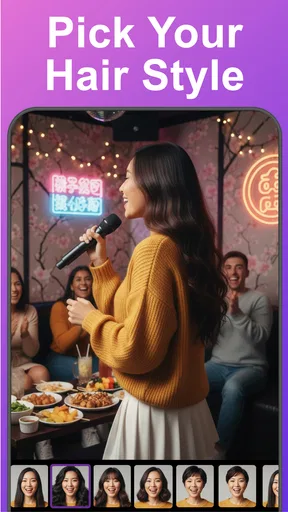
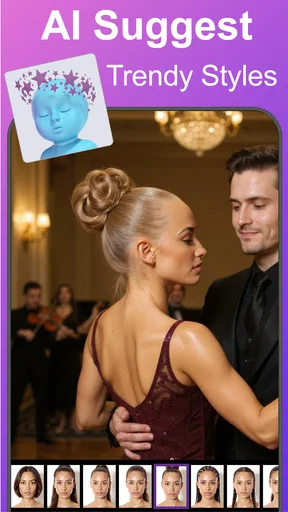
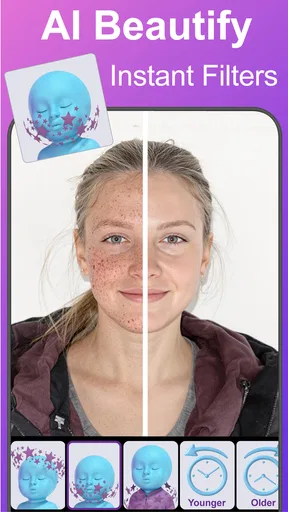
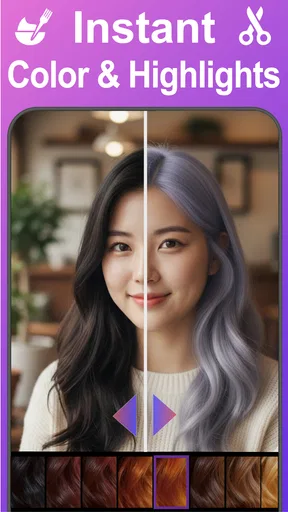
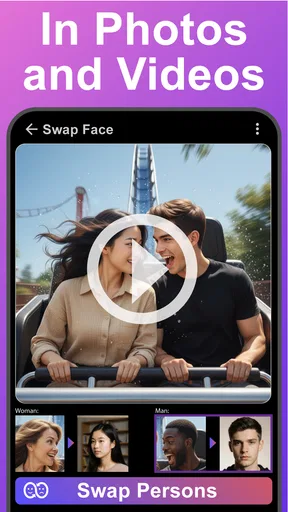
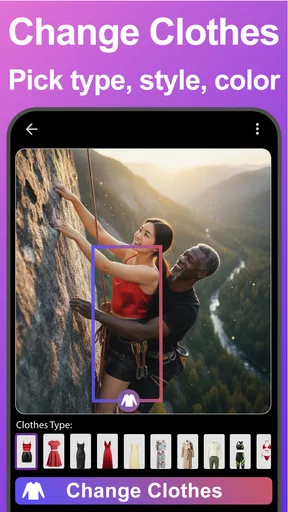
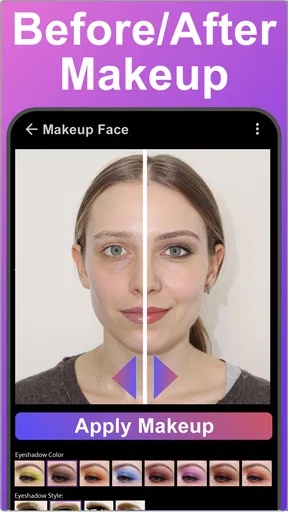
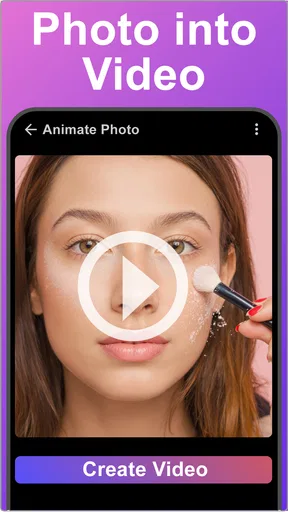
 Analysis by AppCompare
Trying a new cut can feel like a bigger decision than it looks in a salon photo. A short style may suit one person’s face and routine but feel completely different on someone else. I find a hairstyle preview most useful as a way to explore possibilities before booking an appointment, rather than as a promise of exactly how a cut will turn out. That is the role AI Hairstyle & Hair Cut Editor can play: a casual, visual starting point for thinking about changes without reaching for the scissors first.
A quick experiment for the household
Picture a shared-device moment at home: one person is considering bangs, another wants to see whether a shorter cut feels right, and someone else is curious about a new shade. A hairstyle editor can turn that idle conversation into a few visual comparisons. I’d treat each person’s photo as their own experiment, rather than passing one image around and assuming the same preview says anything useful about everyone’s hair.
This is where an AI preview can be more helpful than scrolling through salon inspiration pictures. A model’s photo shows a style on someone with different features, lighting, and hair texture; a preview based on your own image gives you a more personal reference. It still cannot reproduce the movement or feel of real hair, but it can help you decide whether a general direction—such as shorter, more layered, or a different fringe—is worth discussing with a stylist.
Set expectations before you start
The app is a free beauty app from UpName, with a 3.9 average from 29 ratings and 10K+ installs. It is marked for Everyone and has a current version of 3.02. Optional in-app purchases range from $0.99 to $99.99 per item, so I would check the cost shown in the app before choosing any paid option. That matters on a shared phone: a free download does not mean every item or feature will necessarily be free.
I’d also agree on a simple household boundary before handing over a device: use a photo the person is comfortable trying, and ask before saving or sharing someone else’s image. That is a sensible habit for any photo-editing app, especially when a device is used by more than one person. The app is not a substitute for a family agreement about purchases or photo sharing, so it is better to keep those decisions with the account holder or supervising adult.
Turn a preview into a useful conversation
A practical workflow is to start with the change you are genuinely considering, then compare it with one smaller step. If you are debating a dramatic cut, look at a shorter option and a more conservative variation before settling on a favorite. Save or show only the comparisons that help explain what you like: the outline, the fringe, the length, or the general color family. That gives a stylist something clearer to discuss than “make it look like this picture.”
For shared use, take turns and keep each person’s feedback separate. A relative may love a bold shade that you would never choose, and that does not make their suggestion a good guide for your own decision. I’d ask a useful question after each preview: “What part of this look appeals to me?” If the answer is the color but not the cut, that distinction can help you avoid treating a whole generated style as an all-or-nothing choice.
Worth Reading Before You Choose

Flipboard Shows What News Apps Must Do Beyond the Feed

Switching to Android Auto Means Rethinking Your Driving Routine

Google Calendar Makes a Crowded Week Easier to Manage

Ludo King Makes the Most of the Minutes Between Plans

Baby Panda World Brings Quick Play to Modern Phones, but Its Game Library Feels Busy

ESPN’s Live Game View Makes Following Close Games Easier
First Impressions
Let's start with the basics. The app is available on both Android and iOS, so wherever your loyalty lies, you're covered. As soon as you open it, you're greeted with a sleek and user-friendly interface that immediately puts you at ease. It’s like stepping into a virtual salon where you have complete control over your hair transformation.
I was pleasantly surprised by how easy it was to navigate. The app provides a quick tutorial for newcomers, which is a nice touch, especially if you’re like me and tend to skip reading instructions. It’s all about getting you to that perfect look with minimal fuss.
Features That Stand Out
The main attraction here is the AI technology powering the app. It analyzes your face shape and features to recommend hairstyles that suit you best. You can either upload a photo or use the live camera feature to see changes in real time. This feature alone is a game-changer.
There’s a wide variety of styles and colors to choose from. Whether you're thinking of a classic bob, edgy pixie cut, or even a vibrant purple hue, this app has got you covered. I spent a good hour just trying different styles and giggling at some of the crazier looks. It’s amazing how realistic the outcomes are!
Customization and Creativity
The app allows you to tweak the hairstyles to your liking. You can adjust the length, color intensity, and even add highlights or lowlights. It’s perfect for those who have a specific look in mind. I found this feature particularly helpful, as it allowed me to experiment with subtle changes before deciding on a dramatic transformation.
For those who love sharing their new looks with friends, the app makes it super easy. There’s an option to save your favorite styles and even share them directly to social media platforms. It’s a fun way to get feedback and maybe even a few laughs from your friends.
What a preview can—and cannot—settle
The most valuable result is often not a single perfect image but a better idea of what to ask for. A digital fringe can help you decide whether you like hair across your forehead; it cannot tell you how that fringe will sit after a wash, how much daily styling it needs, or whether your hair naturally falls in the same direction. Similarly, a color preview can help narrow your taste, but real dye results depend on your starting color and the work involved in reaching the shade.
For that reason, I would use the image as a conversation aid, not an instruction to copy literally. Take a favorite to a stylist and point out the part you want to keep. If the preview makes a short cut look appealing, ask about maintenance and how it might grow out. A stylist can account for hair texture, condition, and routine in a way that a face-focused visual preview cannot.
Choosing between this and other ways to explore
Compared with browsing ordinary hairstyle galleries, this app offers a more personal point of reference because the experiment is tied to your own image. A gallery is better when you want to study carefully photographed examples, see how a style moves, or compare real hair textures. The editor is better for quick “would I like this on me?” exploration. I would use both if I were making a major change: the app to narrow the direction, then real examples and a stylist’s advice to check whether the choice is practical.
It is also different from asking a friend to edit a picture manually. A friend may give more personal feedback, but a quick app preview can make it easier to compare several ideas without turning the conversation into a full makeover session. On the other hand, if precise salon consultation or realistic color planning is the priority, a professional’s guidance is the stronger option. The app is most useful in the gap between vague curiosity and a concrete appointment.
Small choices that make experiments clearer
To get a more useful comparison, keep the photo and viewing conditions consistent while trying different options. If you change the image as well as the hairstyle, it becomes harder to tell which difference is driving your reaction. I would also compare a familiar, current look with a possible change before exploring extreme transformations; that gives you a personal baseline and makes it easier to notice what you actually prefer.
Try separating cut decisions from color decisions. Changing both at once can make a preview exciting but less informative, because you may not know whether you like the new shape or only the shade. A sequence of smaller tests—first length, then fringe, then color—can produce a more actionable shortlist. This is especially helpful when you are sharing opinions with someone who has a different taste from yours.
Who will get the most from it
I can see this being useful for someone collecting ideas before a salon visit, anyone curious about a pixie cut or braids, or a person who wants to compare a few shades without committing immediately. It also suits lighthearted use: friends or relatives can try different looks and share a laugh, provided everyone is comfortable with the photo being used and shown.
I would skip it if you need a dependable prediction of the exact finished haircut, a detailed hair-care plan, or professional color advice. It may also disappoint anyone who dislikes editing photos or would rather decide by looking at real people with similar hair. And if you are using a shared device but cannot keep your photos, account activity, or purchases separate in the way you want, it is better to use a device and account with boundaries you trust.
Age, trust, and shared-device habits
The Everyone content rating makes the app broadly suitable from a content perspective, but that does not remove the need for ordinary supervision and good judgment when children use a shared phone. I would explain that the images are experiments, not judgments about how someone should look. Avoid turning a playful preview into pressure to change a child’s appearance, and let the person in the photo decide whether they want to try or share a result.
Because optional purchases are available, I would also make sure the person using the device knows to ask before buying anything. The app is free to get, but items can carry a charge. A household that shares an account should agree who can approve purchases and whether a saved or shared image is appropriate to post. These are practical boundaries, not special app features, and they help avoid surprises.
The Verdict
So, what’s the final word on AI Hairstyle & Hair Cut Editor? In my opinion, it’s a must-have app for anyone considering a hair change or just looking to have some fun. The app is intuitive, packed with features, and most importantly, it delivers realistic results that can genuinely help in making a decision about your next hairstyle.
Sure, it might not replace the advice of a professional stylist, but it’s a fantastic starting point. Plus, the ability to play around with different looks without any commitment is both exciting and liberating. It’s like having an endless supply of wigs at your fingertips!
If you’re someone who loves experimenting with your look or just needs a bit of inspiration, give this app a try. You might just find your next signature style without even stepping into a salon. And the best part? It’s all in the palm of your hand.
My household verdict
As a shared-device activity, I’d call it a useful creative tool when everyone treats it as a private choice first and a conversation starter second. It can help a household compare ideas, encourage a more specific salon discussion, and make a big change feel less abstract. Its limits are just as important: previews are not promises, another person’s favorite is not your own, and a real stylist remains the better guide for decisions involving texture, upkeep, and color work.
For the right person, the appeal is the chance to test a direction before making a commitment. For someone who wants exact results, careful professional advice, or strict separation of photos and purchases on a shared account, another approach will be more comfortable. I’d use it for inspiration, keep expectations grounded, and let the final decision belong to the person wearing the hairstyle.
Pros
- Wide variety of hairstyles to choose from.
- Easy-to-use interface for quick edits.
- Realistic results with AI technology.
- Supports both genders with diverse options.
- No prior editing skills required.
Cons
- Limited free features; many are paid.
- Occasional app crashes reported.
- Requires internet for best performance.
- Ads can be intrusive at times.
- May not support older devices.
FAQs for AI Hairstyle & Hair Cut Editor
What features does the AI Hairstyle & Hair Cut Editor offer?
The AI Hairstyle & Hair Cut Editor offers a variety of features to enhance your hairstyling experience. Users can try on different hairstyles and colors using advanced AI technology, explore various haircuts, and even simulate celebrity looks. The app provides a realistic preview, allowing users to see how they would look before making any real-life changes.
Is the AI Hairstyle & Hair Cut Editor easy to use for beginners?
Yes, the app is designed with user-friendliness in mind. It features an intuitive interface that guides users through the hairstyle selection process. With simple navigation and clear instructions, even those new to virtual styling can easily experiment with different looks. The app also provides tutorials for first-time users.
Can I save and share my hairstyle transformations?
Absolutely. The AI Hairstyle & Hair Cut Editor allows users to save their favorite looks directly to their device. Additionally, users can share their transformations on social media platforms or with friends via messaging apps. This feature makes it easy to get feedback or simply showcase your potential new style.
Does the app require an internet connection to function?
While some features of the AI Hairstyle & Hair Cut Editor can be used offline, an internet connection is required for certain functionalities, such as downloading new styles or accessing the latest updates. For the best experience and access to the full range of features, a stable internet connection is recommended.
Is the AI Hairstyle & Hair Cut Editor free to use?
The app offers a free version with basic features, allowing users to try out a limited number of hairstyles and colors. For access to premium features, such as an expanded hairstyle library and advanced customization options, users can opt for a subscription or make in-app purchases. This setup provides flexibility depending on user needs and preferences.


